

15 Cute Aesthetic Cursors to Make Browsing More Fun
Cute cursors are the quickest way to give a plain browser some personality. Here are 15 cute aesthetic cursors for Chrome and Edge, from kawaii animals to paper balloons.
All 15 come from the iLove Cursor library. They are free, and you do not need an account. Scroll, pick a favorite, and press ADD.
How we picked these cursors
Kawaii favorites
This collection is all about sweet characters and little faces. If you only browse one set, start with the kawaii collection.
1. Kawaii astronaut cat

A cat in a space suit is two internet favorites in one. It makes a long study session feel like a tiny mission.
Best for: cat people who dream about space.
2. Kawaii pink unicorn

Pink and magical, as the name says. This is the pick if you like your screen sweet and sparkly.
Best for: a soft, dreamy desktop.
3. Kawaii frog

A friendly frog hops into your browser. It is calm, simple and hard to dislike.
Best for: anyone who wants cute without too much noise.
4. Kawaii nigirizushi

Nigirizushi is a type of sushi, and here it becomes a snack for your pointer.
Best for: sushi lovers and food fans.
5. Kawaii enamored bee

A bee that is clearly in love with something. Small, buzzy and full of charm.
Best for: a cheerful mood on a gray day.
Animals and the sea
Animal cursors work well because the shapes are easy to read. A beak, a tail or a fin can double as the tip that shows where you click.
Nature gives us bright colors and funny faces. These six come from the animals and aqua collections.
6. Red-eyed tree frog

The red-eyed tree frog is a real animal known for its bright look. Here it becomes a pointer with a lot of attitude.
Best for: frog fans who want something bolder than kawaii.
7. Peacock

A peacock is made for showing off, and so is this cursor. It gives your screen a bit of drama.
Best for: people who like color and flair.
8. Toucans

Toucans are tropical birds with big beaks. They bring a warm, sunny feel to any page.
Best for: a summer mood all year.
9. Llamas in traditional clothing

Llamas dressed in traditional clothes make one of the most unusual designs on this list. It is cheerful and a little quirky.
Best for: anyone who likes folk-style art.
10. Rainbow fish and corals (3D)
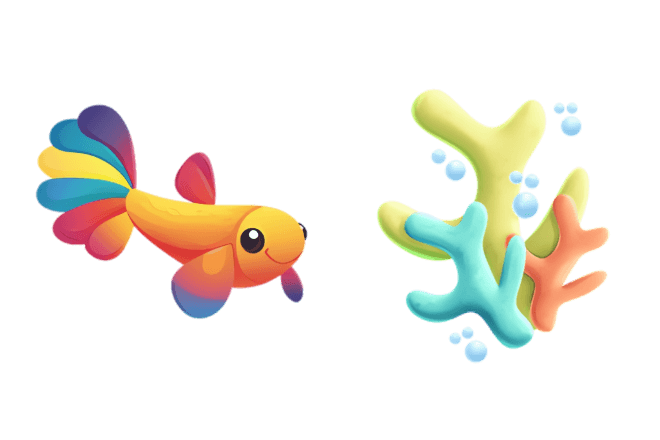
A rainbow fish swims among corals, with a 3D look. It adds some ocean color to a dull tab.
Best for: color lovers who miss the beach.
11. Cute whale and seashell

A friendly whale and a seashell make a gentle sea pair. It feels light and relaxed.
Best for: calm, quiet browsing.
Fruits, gems and paper
The last group is for people who like their cute a little more stylish. Think snacks, shiny stones and folded paper.
12. Watermelon

A slice of watermelon is a summer classic. It comes from the funny fruits collection, which has plenty more snacks.
Best for: hot days and fruit fans.
13. Strawberry

A strawberry is small and easy to spot, which is just what a pointer needs. It is a sweet, safe choice.
Best for: a simple cute look.
14. Blue crystal and orb

A blue crystal and an orb give a cooler, more mystical mood. It looks good on dark pages.
Best for: fans of fantasy and night-time browsing.
15. Origami hot air balloon and clouds

A hot air balloon and clouds in folded-paper style. It is light, airy and a little artsy.
Best for: people who like crafts and clean looks.
How to add one in 3 steps
If a cursor does not show up on a page, read our guide on fixing custom cursors that do not work. Chromebook user? See how to change the cursor on a Chromebook.
Can't choose? Take the whole set
Each collection page has an ADD ALL button that saves every cursor in that collection. Then you can switch between them in the popup. Try it with the kawaii set, or look at our festive picks in the Christmas cursor countdown.
 English
 Русский
 Українська
 Español
 Français
 Tiếng Việt
 Deutsch
 日本語
 中文
 Indonesia
 اردو