

🖱️ How to Use Cursor Settings & Right-Click Features
Overview 🔍
The "ILOVE CURSOR" extension allows you to customize your cursor and pointer effects. You can set a cursor using the right-click feature and toggle various options to enhance your browsing experience. Below is a step-by-step guide.
1️⃣ Enabling Right-Click to Set Cursor
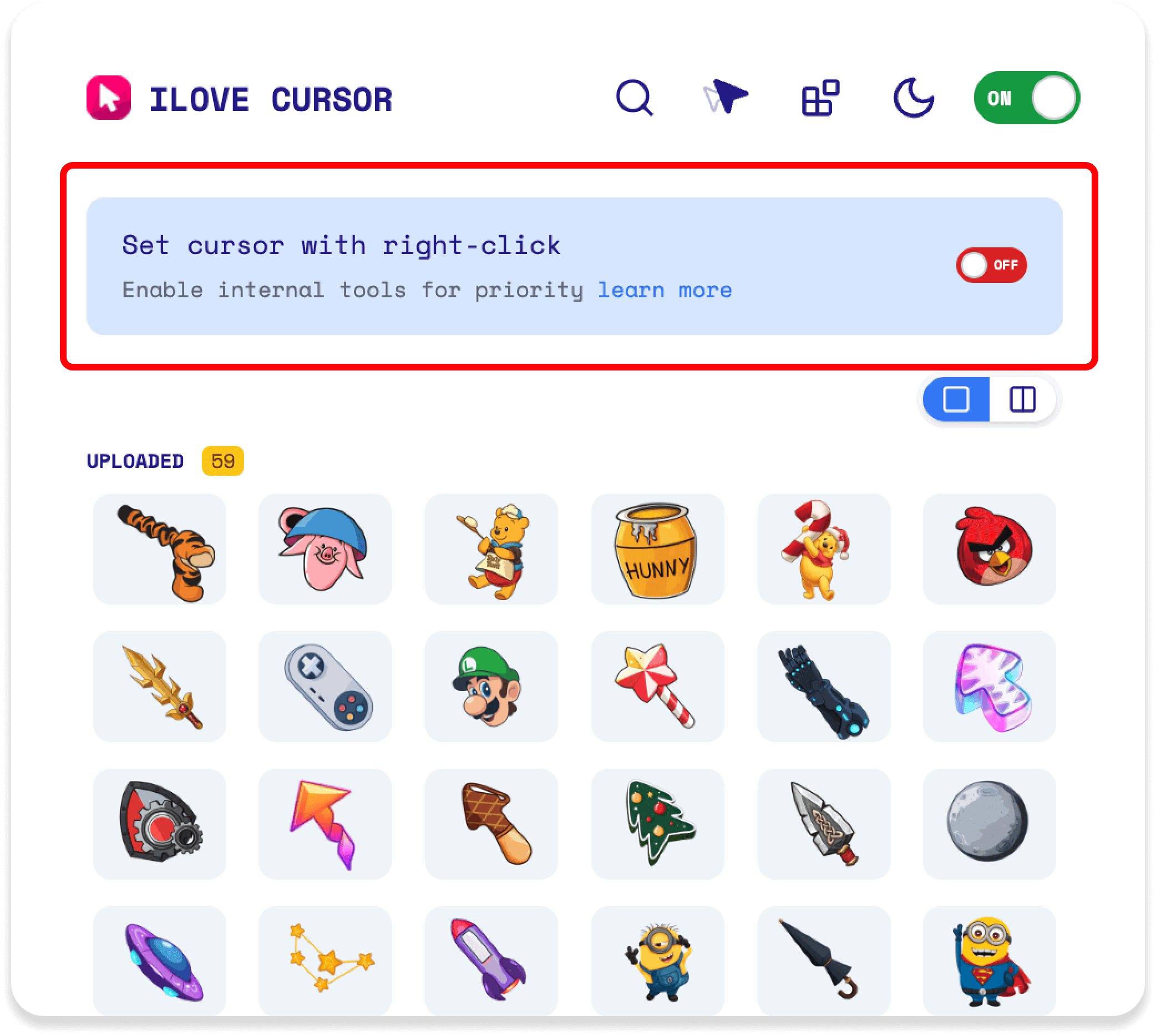
🖼️ State 1 (Top Image):The "Set cursor with right-click" option is turned OFF 🚫
- When disabled, the extension prioritizes internal tools and does not allow cursor changes via right-click.
- Click the toggle to switch it ON to enable this feature. 🔄
- Locate the "Set cursor with right-click" option.
- Click the OFF button to switch it to ON.
- This enables the right-click functionality to set a cursor from any image on a webpage.
2️⃣ Customizing Cursor and Pointer Effects
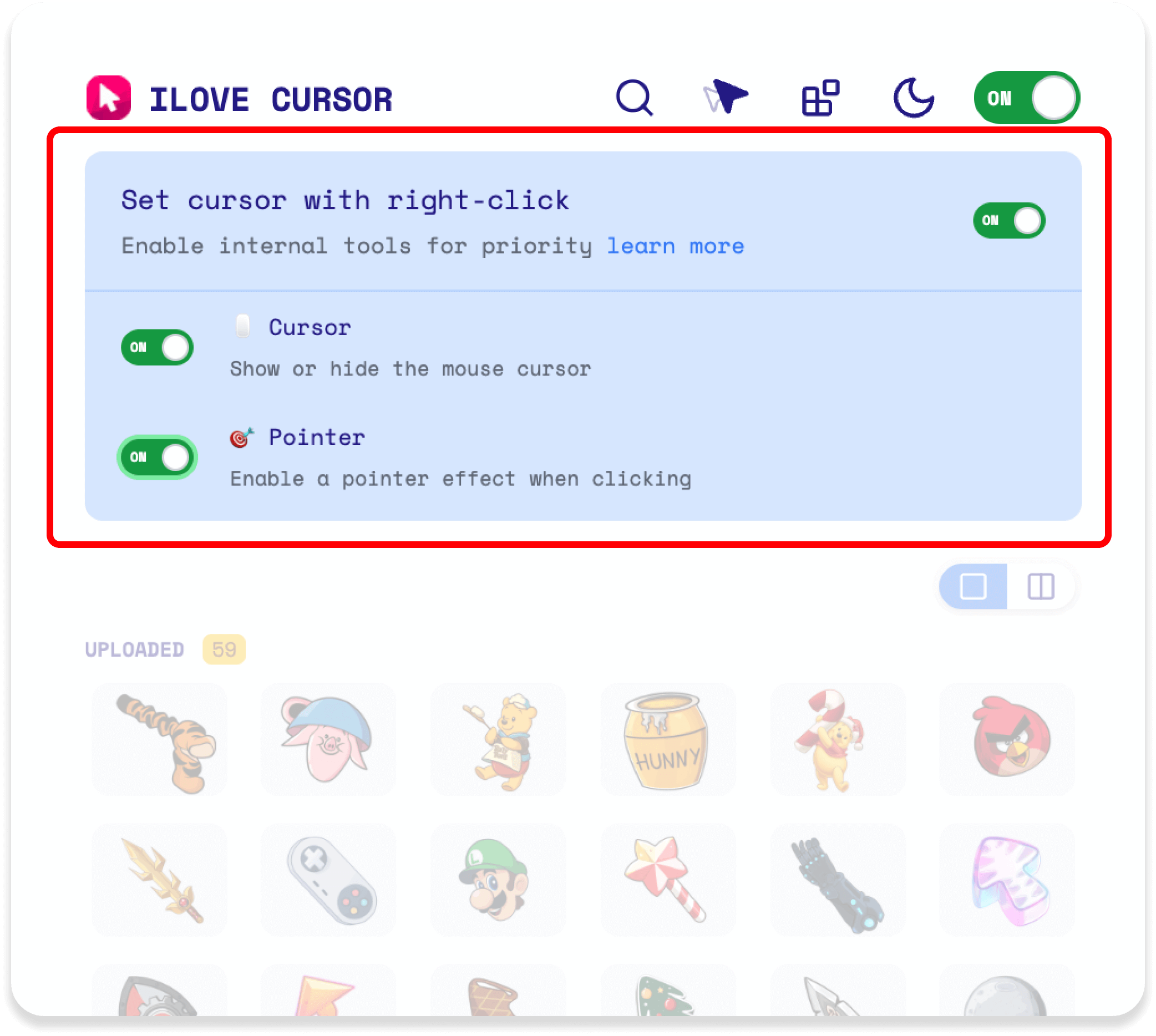
🖼️ State 2 (Middle Image):The "Set cursor with right-click" option is turned ON ✅
- Cursor: Toggle to show or hide the mouse cursor. 🖱️
- Pointer: Enable a pointer effect when clicking. 👉
- When enabled, right-clicking an image (e.g., the watermelon cursor in the bottom image) sets it as your cursor. 🍉
- Ensure "Set cursor with right-click" is ON.
- Toggle Cursor and Pointer based on your preference.
- Right-click any image on a webpage to set it as your cursor. 🖼️ ➡️ 🖱️
3️⃣ Resetting to Default Cursor
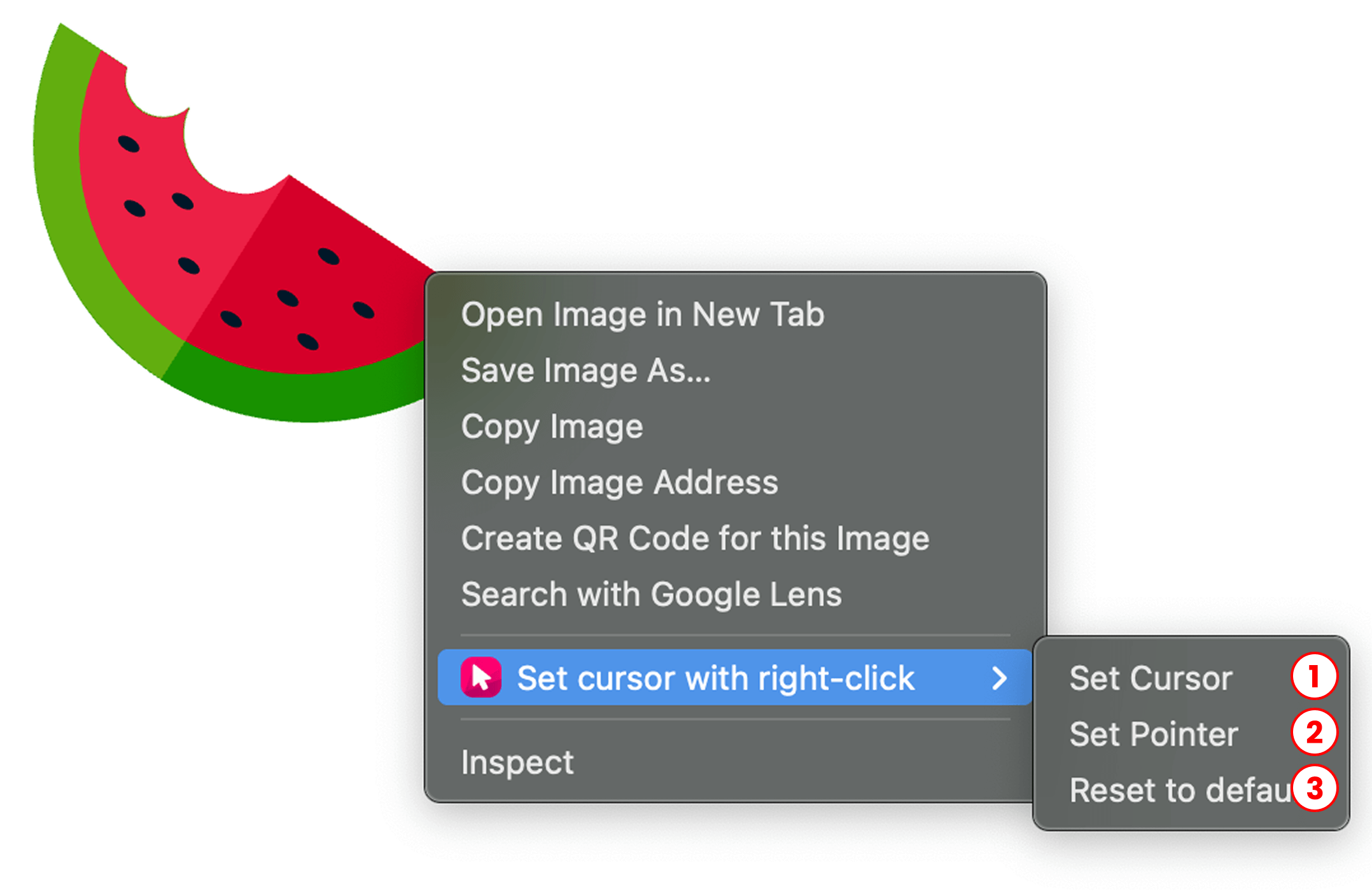
🖼️ Action 3 (Bottom Image):Reset the cursor to default. 🔄
- When you right-click an image with the feature enabled, a menu appears with options.
- Select "Reset to default" (option 3) to remove the custom cursor (e.g., the watermelon) and revert to the default cursor.
- Right-click on the webpage.
- From the context menu, select "Reset to default".
4️⃣ Result After Setting Cursor & Pointer
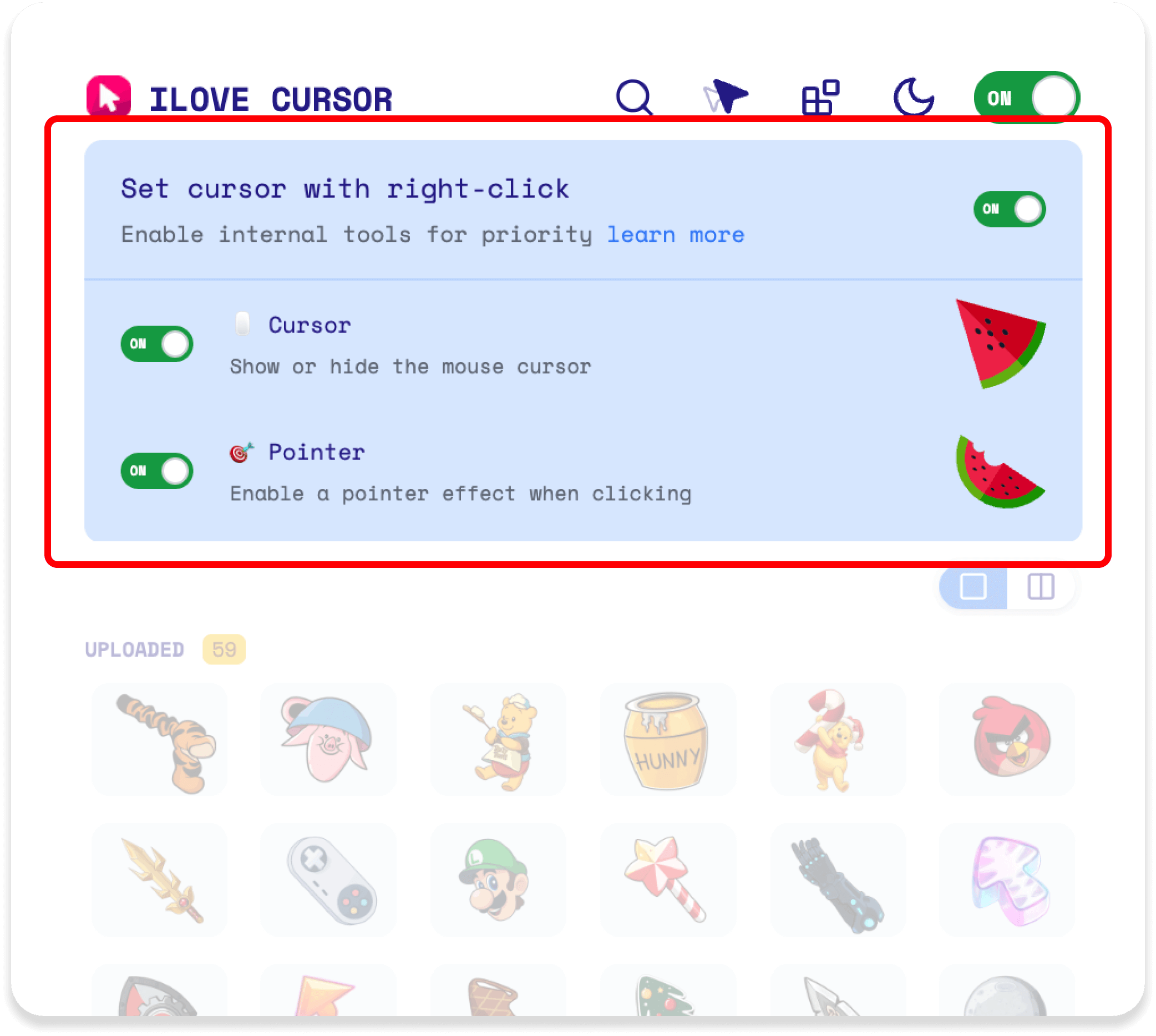
After you set a custom cursor or pointer using the right-click menu, your selected image will immediately appear as the new cursor on the webpage. This change is applied instantly, so you can see your personalized cursor or pointer in action right away. If you set both a cursor and a pointer, each will display according to your selection whenever you move your mouse or hover over clickable elements.
🔄 Behavior When Extension is ON or OFF
- When ON: The cursor and pointer effects set via right-click are displayed. ✨
- When OFF: The extension reverts to showing the cursor selected from the collection (e.g., uploaded or default cursors). 🗂️
 English
 Русский
 Українська
 Español
 Français
 Tiếng Việt
 Deutsch
 日本語
日本語 中文
中文 Indonesia
 اردو
اردو